

 BugIt4 min read
A bug report template developers will actually read
A copyable bug report template, what each part is for, and the habits that turn a vague complaint into a ticket a developer can fix.
Two sentences cost software teams more time than they deserve. The first is "works on my machine." The second is "can you send more details?"
Both sentences are the sound of a bug report that left something out. The reporter saw the problem clearly. The developer cannot see it, so the ticket waits, the reporter moves on to other work, and by the time the answer arrives few people remember the details.
The fix is not a longer report. It is a report with the right parts, in a shape people can scan. Here is a template, what each part is for, and a few habits that make it work.
The template, ready to paste
Copy this into your tracker's description field or into a template your team shares.
``` Title: [Area] What goes wrong, in a few words
Steps to reproduce
- Where you start (page, screen, command)
- What you do
- What you do next
- The step where it goes wrong
Expected What should have happened.
Actual What happened instead, including the message shown.
Environment Version or build, platform, browser or operating system, account type, and how often it happens.
Evidence Log excerpt, screenshot, request id or a short recording.
Severity and reason How bad it is and who it affects.
Related Tickets that look similar or touch the same area. ```
It looks like a form, and that is the point. A developer who opens a ticket in this shape knows where to look for each answer before reading a word.
Why each part earns its place
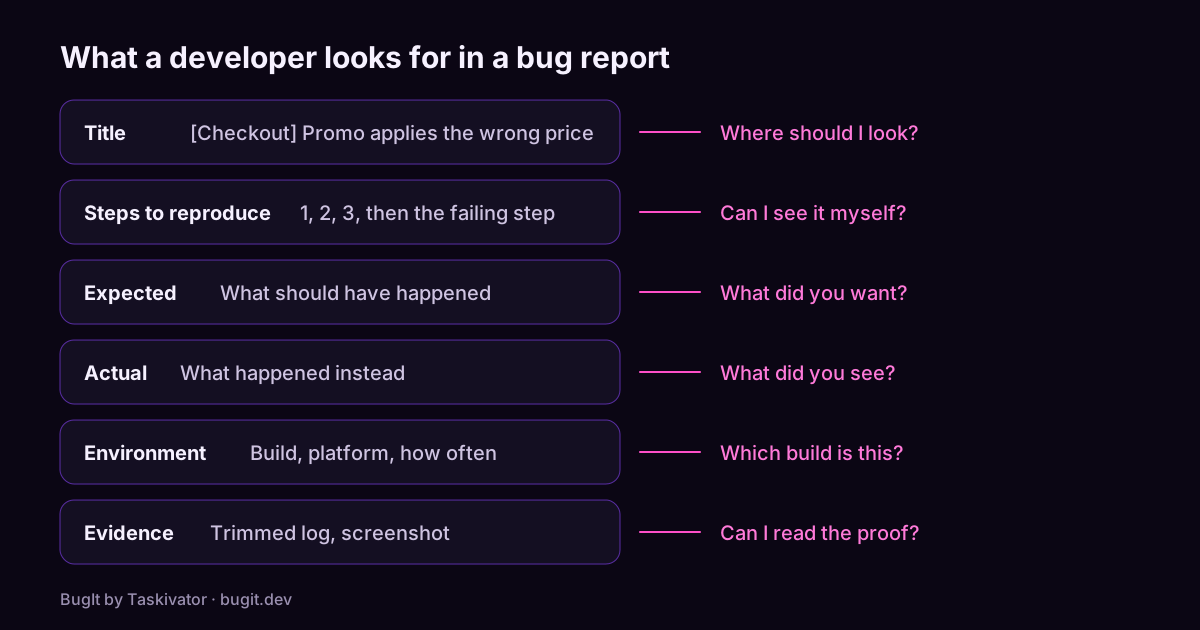
The title is a symptom, not a theory. "Checkout total ignores the annual plan after applying a promo code" tells a triager exactly where to look. "Pricing bug" tells them nothing. A tag such as [Checkout] at the front helps people scan a long list and sort tickets that belong together.
Steps are numbered and start somewhere a stranger can reach. Name the real values you used, such as the promo code or the plan, because bugs love specific inputs. Then do something most people skip: run your own steps once more before filing. If the bug does not repeat, say so and describe how often it did. That honesty saves a developer an afternoon.
Expected and Actual settle the argument early. Without Expected, the developer has to guess what you wanted. Without Actual, they have to guess what you saw. Two short lines remove two guesses.
Environment answers the first question a developer asks. Which build was this? The version tells them whether the problem still exists in the code they have open. Add the platform and an account setting that could change behavior, and say how often it happens. A problem that appears each time and one that appears now and then lead to different investigations.
Evidence beats description. A trimmed log with the error line and a few lines around it is worth more than a paragraph of explanation. A screenshot should show enough of the screen to see where you are. Before you attach anything, look for personal data and secrets, such as email addresses and access tokens, and remove them.
Severity needs a reason. "High" alone is an opinion. "High: a paying customer sees the wrong total" lets the team rank the ticket against everything else in the queue.
A filled in example
Here is the template with a real shape to it.
``` Title: [Checkout] SAVE20 applies the monthly price after switching to annual
Steps to reproduce
- Add the Pro plan to the cart (monthly)
- Switch the billing period to annual
- Apply promo code SAVE20
- Look at the order summary
Expected 20% off the annual price.
Actual 20% off the monthly price, shown as the annual total.
Environment Production, web, build 2.14.1, happens each time.
Evidence TypeError: plan.period is undefined at applyPromo (pricing.ts:88)
Severity and reason High: a paying customer sees the wrong total. ```
Notice what a developer can do with this in the first minute. They know the area, they can follow the steps, and the error line points to a file. No follow up question is needed.
Habits that keep reports useful
Small habits matter more than a perfect template.
- One bug per ticket. Two problems in one report get fixed at different times, so file them separately and link them.
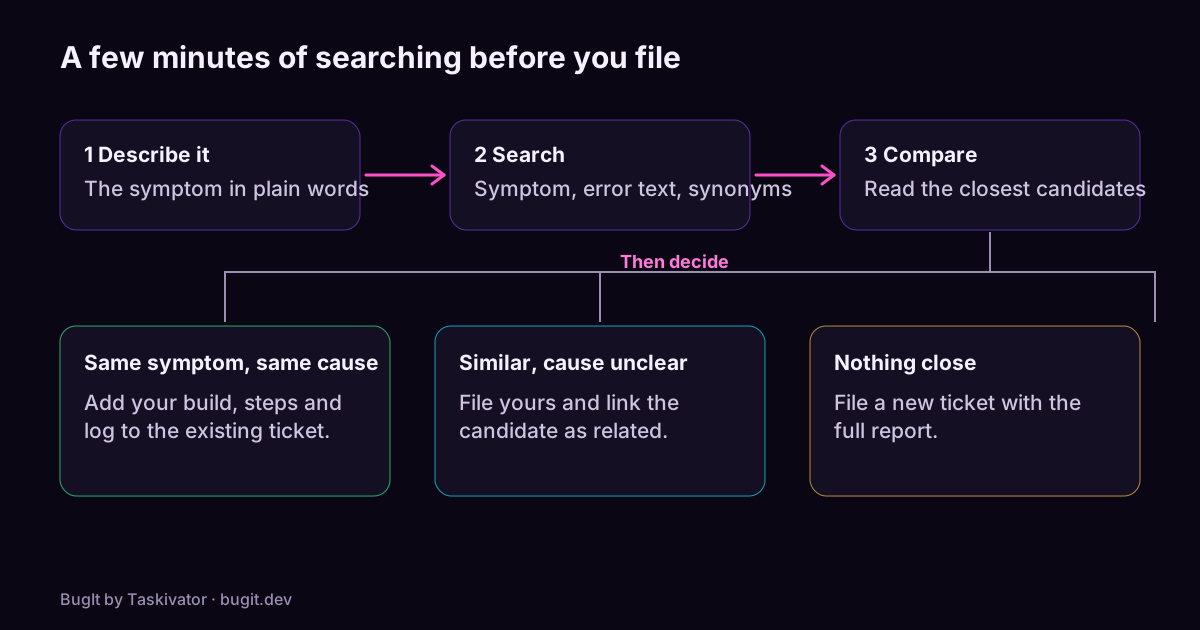
- Search before you file. Someone may have reported the same problem already. Adding your evidence to that ticket keeps the story in one place.
- Say what you tried. If a refresh, another browser or another account changes the result, that is a clue worth a line.
- Keep the tone plain. A report is not the place for frustration. Facts get fixed faster than feelings.
- Update the ticket when you learn more. A new build number or a narrower set of steps is valuable, even a day later.
Where BugIt fits
Writing in this shape is easy to agree with and hard to do at the end of a long day. That is the gap BugIt closes. BugIt is a QA agent that runs in the assistant you already use. You describe what broke in a rough sentence, and it writes the report in your team's wording: title, steps, expected and actual, severity and the evidence you gave it. It redacts common personal data, which is a best effort, so you read the draft before anything leaves it. You review every draft before it is filed, and nothing is written to your tracker until you type FILE IT.
You can see how it works at bugit.dev and find more about the product at taskivator.com/bugit.
The takeaway
A good bug report answers the developer's questions before they ask them: where, how, what you expected, what happened, on which build, and how bad it is. Use the template, check your steps once, attach evidence you have trimmed, and give your severity a reason. The few minutes you spend will come back as fixes that arrive sooner.
Keep reading
 BugIt4 min read
Catch duplicate bugs before you file them
Why one bug turns into several tickets, how to search a tracker so you find the earlier one, and what to do when you do.
Read the article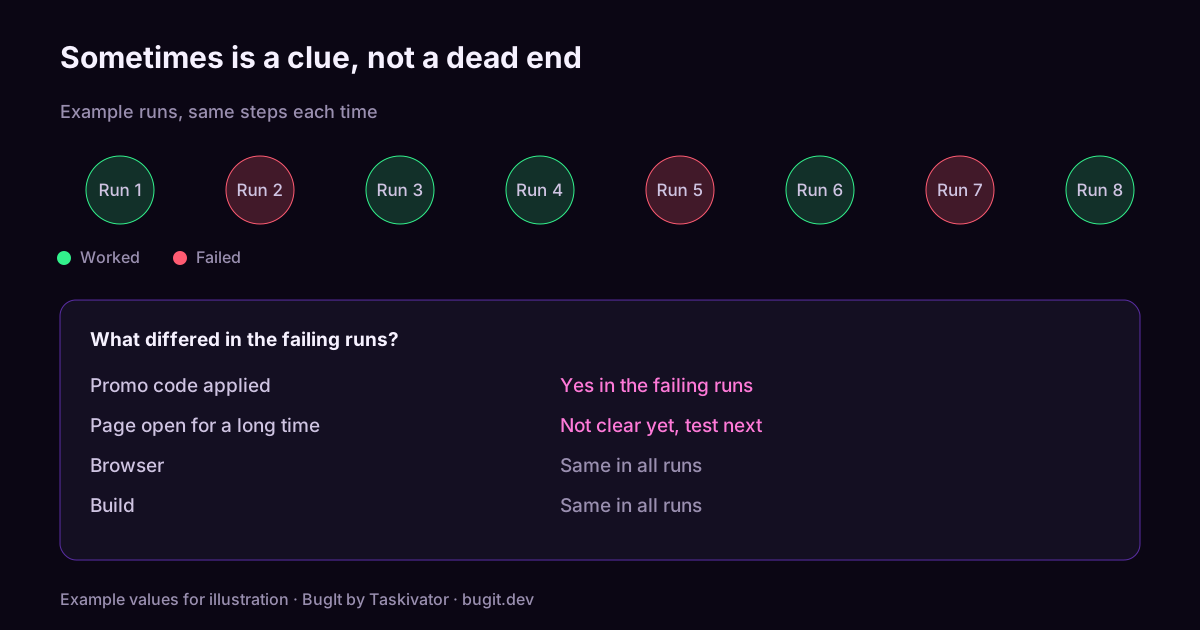 BugIt4 min read
How to report a bug that only happens sometimes
How to report an intermittent bug: count your runs, find what changes between them, and write the conditions down so a developer can chase it.
Read the article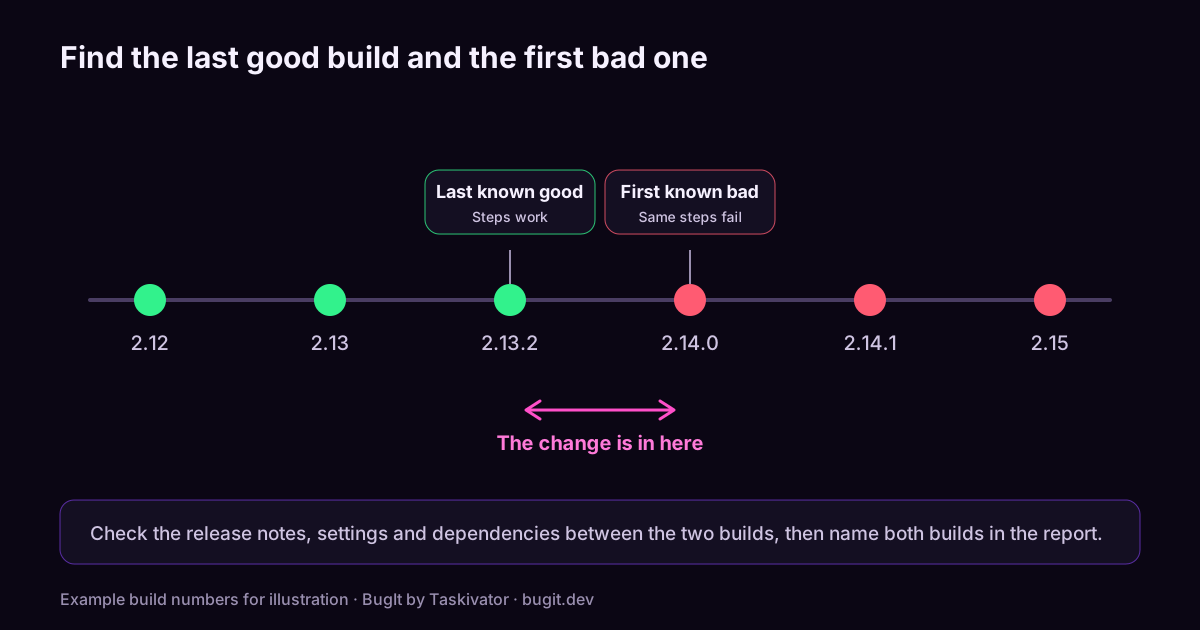 BugIt5 min read
A bug that used to work: how to report a regression
How to report a regression: find the last version that worked, narrow the gap to the first one that failed, and give the developer a place to start.
Read the article