

 BugIt3 min read
Turn a customer complaint into a bug report engineers can act on
How support and QA can turn a vague customer complaint into a bug report: ask the right questions, separate what was seen from what was guessed, and protect personal data.
A customer writes: "Your export is broken, I lost my work, fix it." It is angry, urgent and nearly useless to an engineer. There is no starting point, no steps, no build and no way to tell whether the product failed or the customer's file did.
The person in the middle, in support or QA, has to turn that message into something an engineer can act on without going back to the customer again and again. This is how.
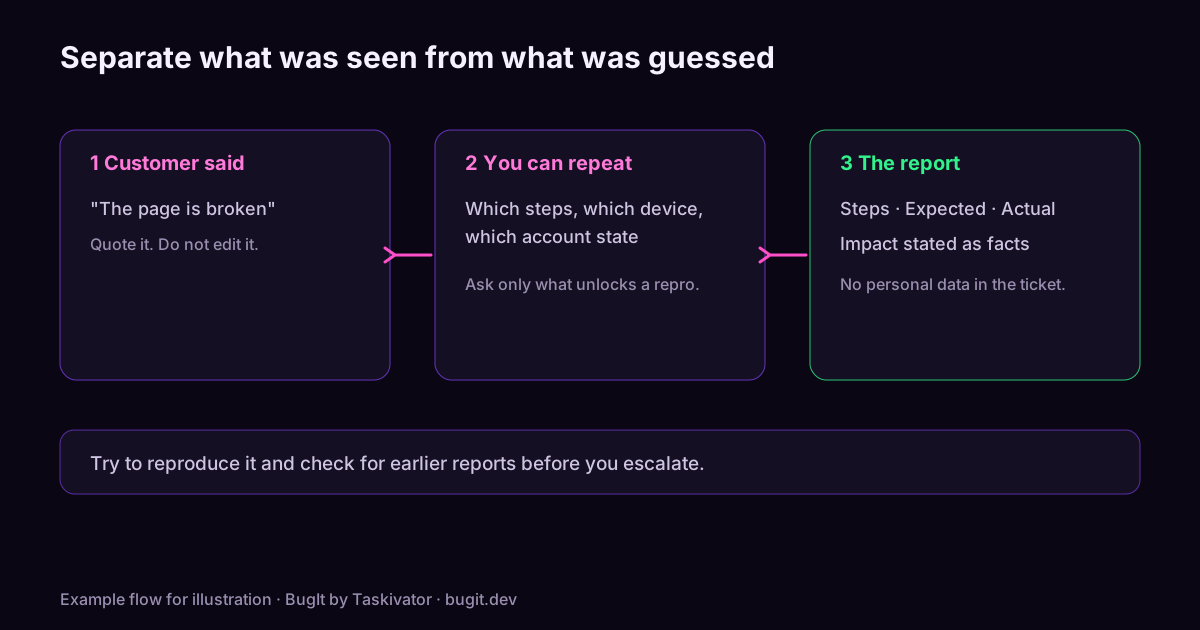
Separate what was seen from what was inferred
Customers report conclusions: "it deleted my data", "it is down", "the update broke it". Underneath each is an observation. Your first job is to find it.
- "It deleted my data" might be: the list was empty after opening the project.
- "It is down" might be: the page showed an error after sign in.
- "The update broke it" might be: it worked on Monday and the customer updated on Tuesday.
Write the observation in the report. Keep the conclusion, quoted and attributed, as context. An engineer can act on an empty list. They cannot act on "deleted".
Ask for the few things that unlock a repro
Long questionnaires get ignored. These questions usually cover what an engineer needs, and a reply of a few lines is enough:
- What were you doing just before it happened?
- What did you expect, and what did you see instead? Is there a message you can copy?
- Has it happened more than once, and does it happen each time?
- Which version or build, and which device or browser?
- Did it work before? If so, when did you last see it work?
Offer to take a screenshot or a short recording if typing is hard. Ask for what is easy to give.
Try to reproduce before you escalate
If you can follow the customer's steps and see the problem, say so in the report, with your steps. If you cannot, say that as well, and how many times you tried. "Could not reproduce on the current build in two attempts, customer reports it on an older build" is a useful sentence. It tells the engineer where to start and spares them a wasted hour.
Check for earlier reports
Complaints often repeat. Search the tracker with the customer's words and with the symptom you wrote, and look at closed tickets too. If there is a match, link the new customer to it rather than opening another. Our article on catching duplicate bugs before filing shows how to search well.
Keep personal data out of the ticket
Support messages carry names, emails, account numbers and sometimes screenshots with more than anyone meant to share. The engineer rarely needs them. Replace them with a placeholder or a short reference your own system can resolve, and crop images to the part that shows the problem.
Describe impact with facts
Engineers need impact, but not a pile of adjectives. Write what the customer could not do, whether a workaround exists, and whether others have reported it. Leave priority to triage and put the facts in the description.
A short template
`` Summary: where, what happened, the condition that matters Customer report (quoted): ... What was seen: ... Expected: ... Steps (as given, or as reproduced by us): ... Build and device: ... Seen how often: ... Worked before? last known good: ... Workaround: ... Related tickets: ... ``
Where BugIt fits
Support and QA often write a structured report from a messy message many times in a week. When you paste the customer's words into your assistant and describe what you found, BugIt turns the rough note into a structured report with steps, expected and actual results and the environment, and it looks for similar tickets in your tracker before you see the draft. It redacts common personal data as a best effort, so check the draft yourself. You review the report, and nothing is written to your tracker until you type FILE IT.
Learn more at taskivator.com/bugit and bugit.dev.
The takeaway
Find the observation under the complaint, ask a few targeted questions, try to reproduce, search before you file and keep personal data out. The engineer should be able to start work from the ticket alone.
<script type="application/ld+json"> {"@context":"https://schema.org","@type":"Article","headline":"Turn a customer complaint into a bug report engineers can act on","description":"How support and QA can turn a vague customer complaint into a bug report: ask the right questions, separate what was seen from what was guessed, and protect personal data.","mainEntityOfPage":"https://taskivator.com/articles/turn-a-customer-complaint-into-a-bug-report/","author":{"@type":"Organization","name":"Taskivator"},"publisher":{"@type":"Organization","name":"Taskivator"},"about":{"@type":"SoftwareApplication","name":"BugIt","url":"https://taskivator.com/bugit/"}} </script>
Keep reading
 BugIt4 min read
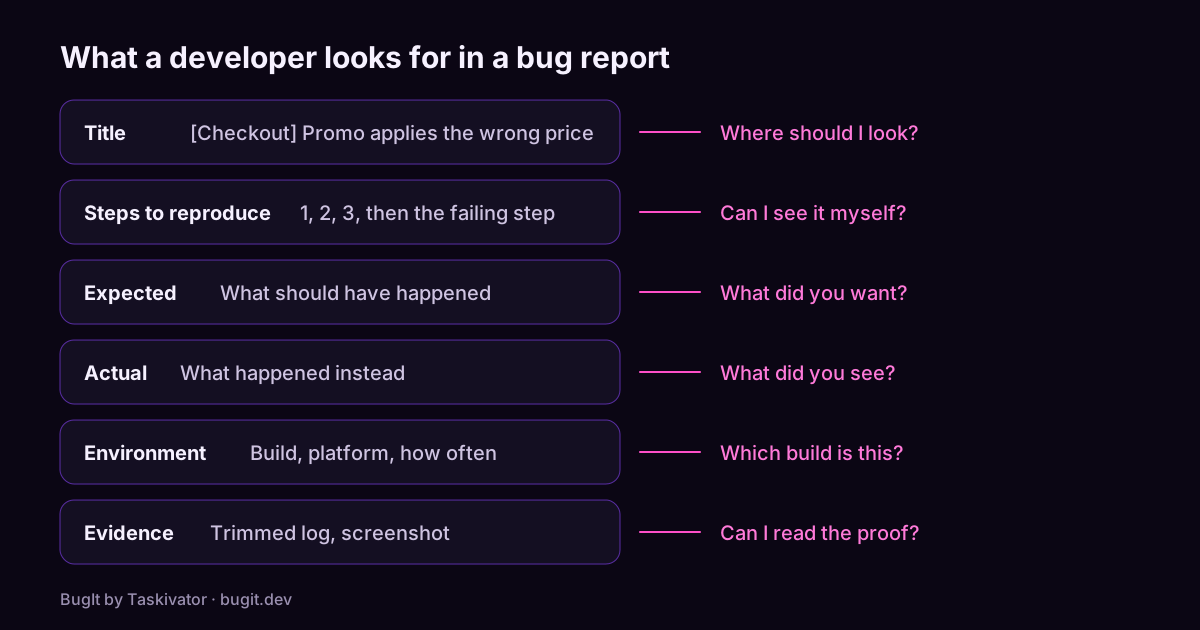
A bug report template developers will actually read
A copyable bug report template, what each part is for, and the habits that turn a vague complaint into a ticket a developer can fix.
Read the article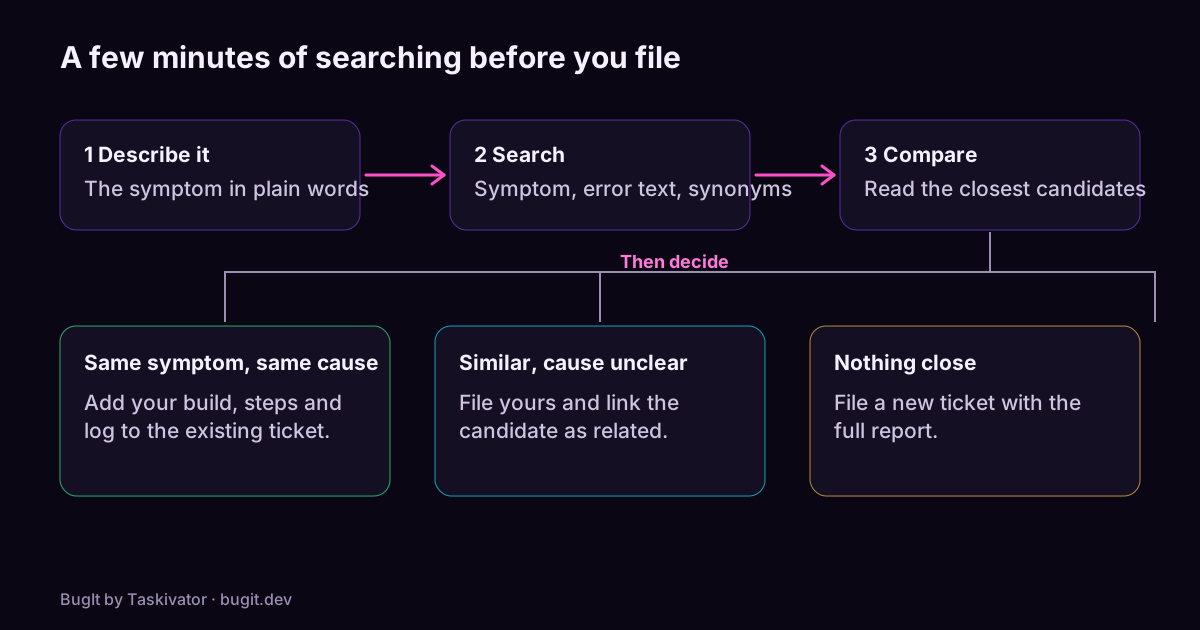 BugIt4 min read
Catch duplicate bugs before you file them
Why one bug turns into several tickets, how to search a tracker so you find the earlier one, and what to do when you do.
Read the article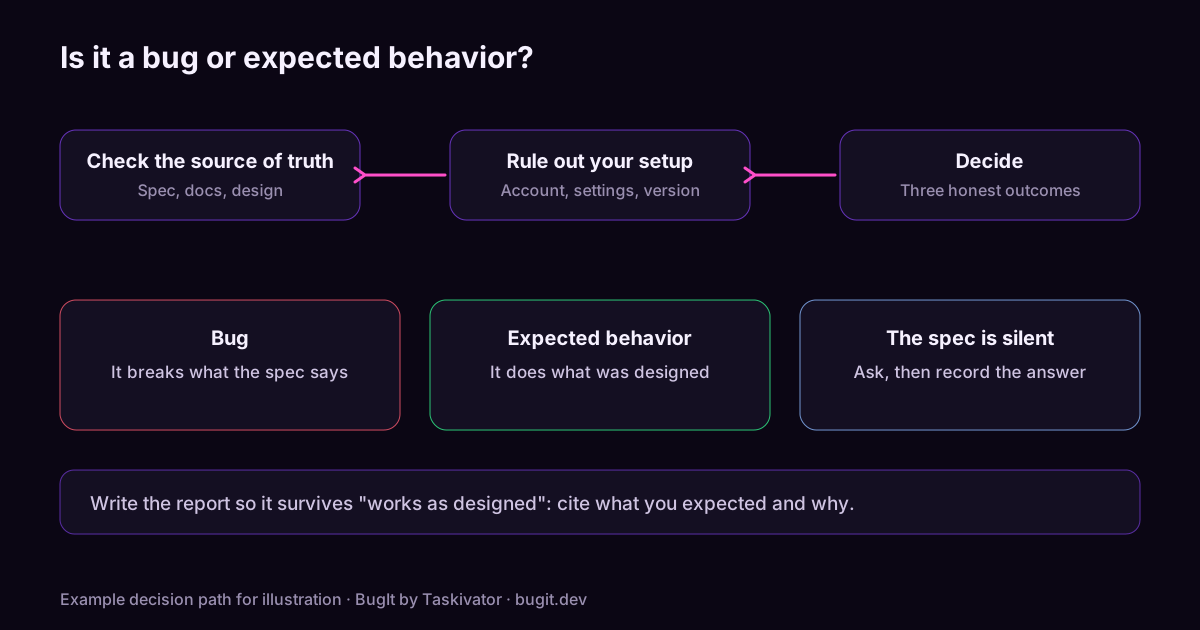 BugIt3 min read
Is it a bug or expected behavior? How to check before you file
Before you file, check whether the behavior is a bug, a missing feature or intended. A short method using the spec, release notes, settings and the tracker.
Read the article